05.13.26

May Update

This release expands Blueshift’s capabilities across revenue attribution, journey orchestration, messaging flexibility, and data visibility. With the introduction of WhatsApp as a native channel and enhancements across Journey Builder, Campaign reporting, and Data Studio, marketers can now orchestrate and analyze customer engagement with greater precision across every stage of the lifecycle. Additional updates improve debugging, tracking, and integration depth across channels and systems, while Launchpad continues to evolve as an AI-powered workspace for building and analyzing marketing workflows. 

Let’s take a look at what’s new in May.
NEW FEATURE

Revenue Attribution by Goal Event Attributes

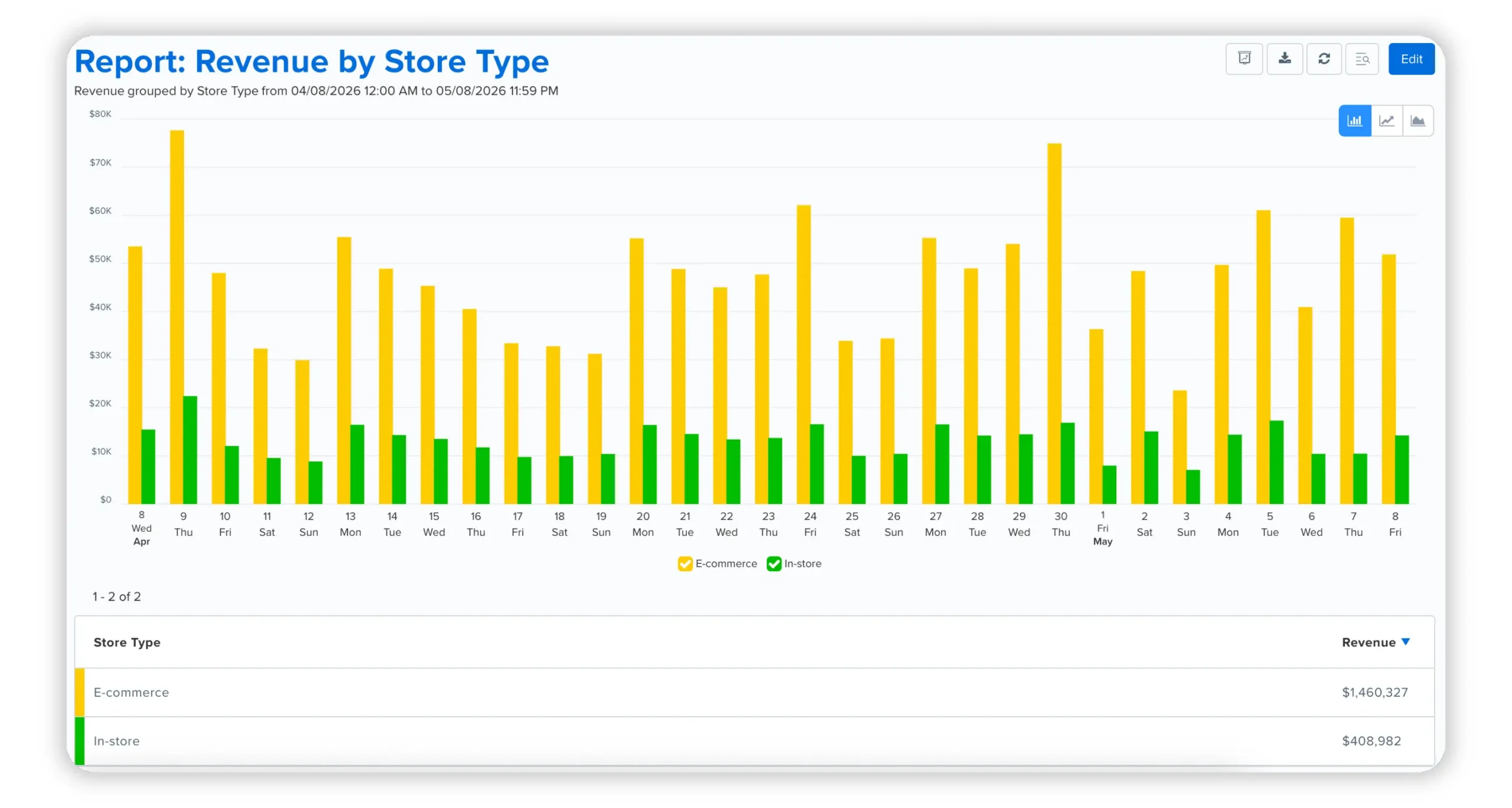
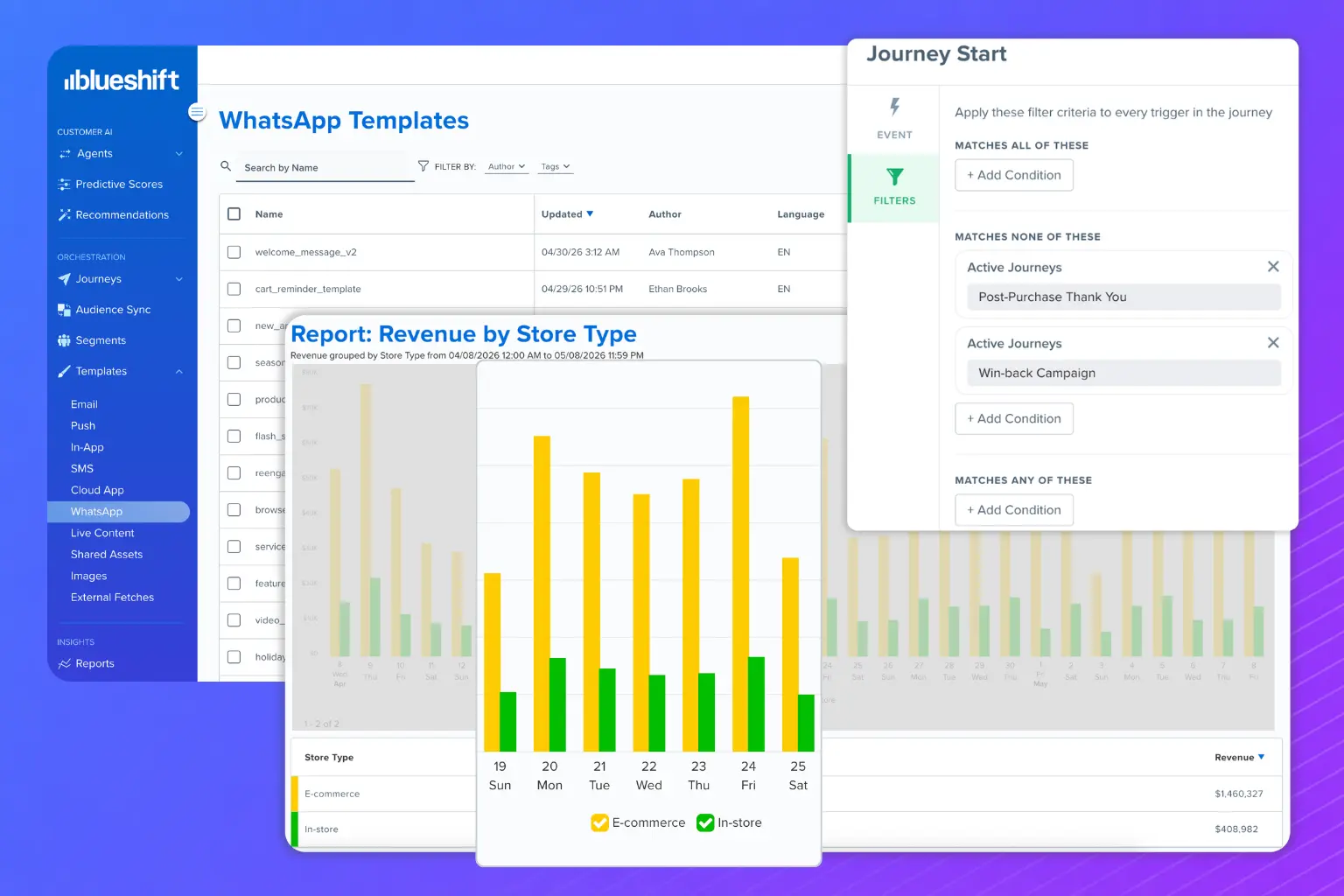
Campaign performance reports now support revenue attribution broken down by goal event attributes. Marketers can analyze how revenue from a single goal event, such as a purchase, is distributed across attributes like sales channel or custom labels.

For example, revenue can be segmented into “Store Revenue” and “E-commerce Revenue” when such attributes are included in the event payload.

This enables more granular analysis of campaign impact across revenue sources.

UPCOMING FEATURE

WhatsApp Native Channel

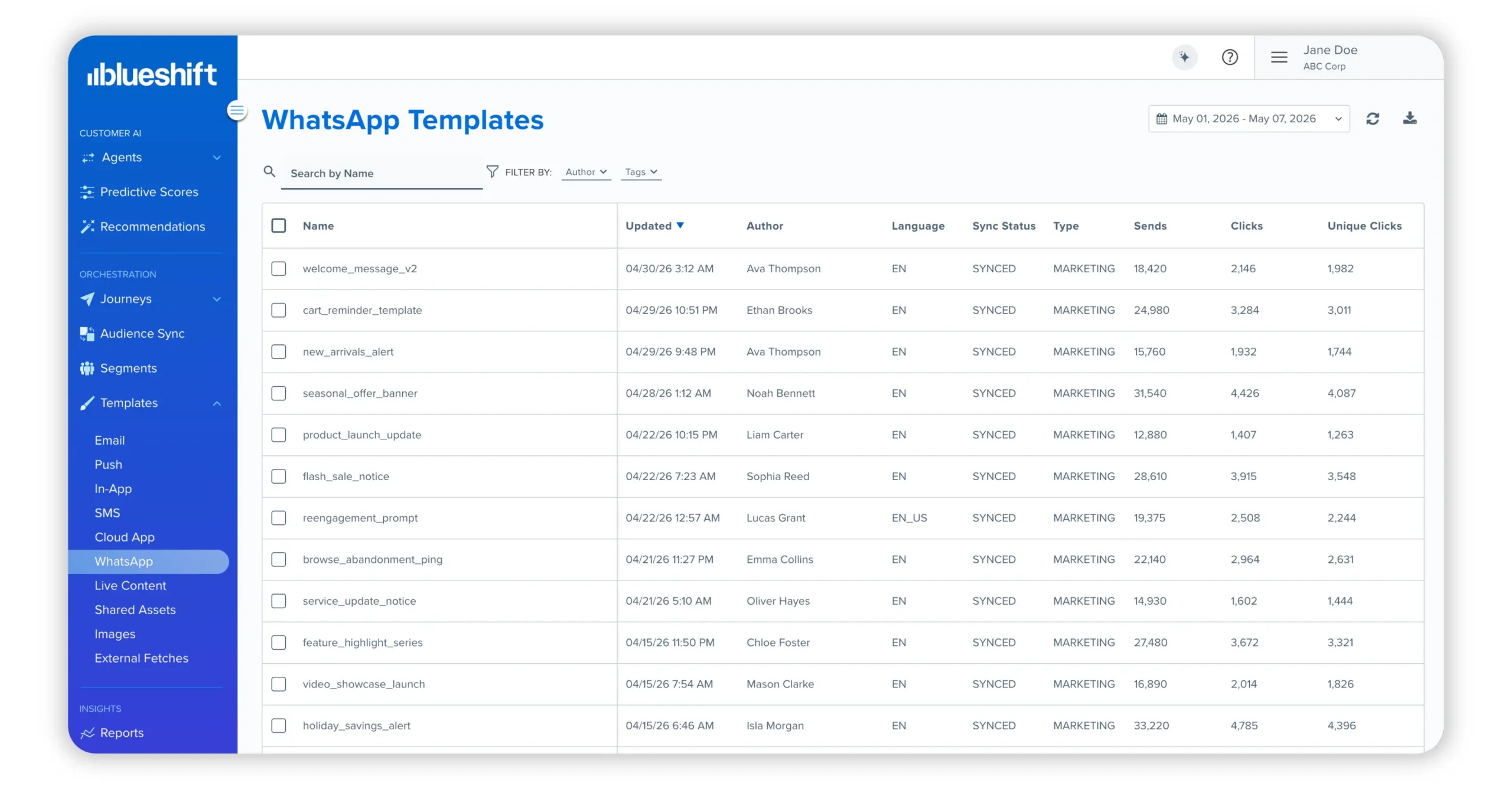
Blueshift is introducing WhatsApp as a native channel, enabling marketers to orchestrate WhatsApp alongside email, SMS, and push notifications within a single cross-channel journey. This brings all customer engagement into a unified workflow across channels.

Planned capabilities include:

  • Manage WhatsApp templates in a dedicated WhatsApp Studio. Templates are created and approved in Meta’s WhatsApp Manager, then synced to Blueshift for campaign use
  • Personalize templates, capture customer responses, and build journeys around inbound interactions
  • Track engagement across Sent, Delivered, Read, Clicked, and Bounce metrics
  • Manage subscriptions and opt-outs at the sender level, with preferences visible on user profiles and in Segment Builder

WhatsApp Native Channel will be available shortly after the May 2026 release.

ENHANCEMENT

Journey Concurrency Filter

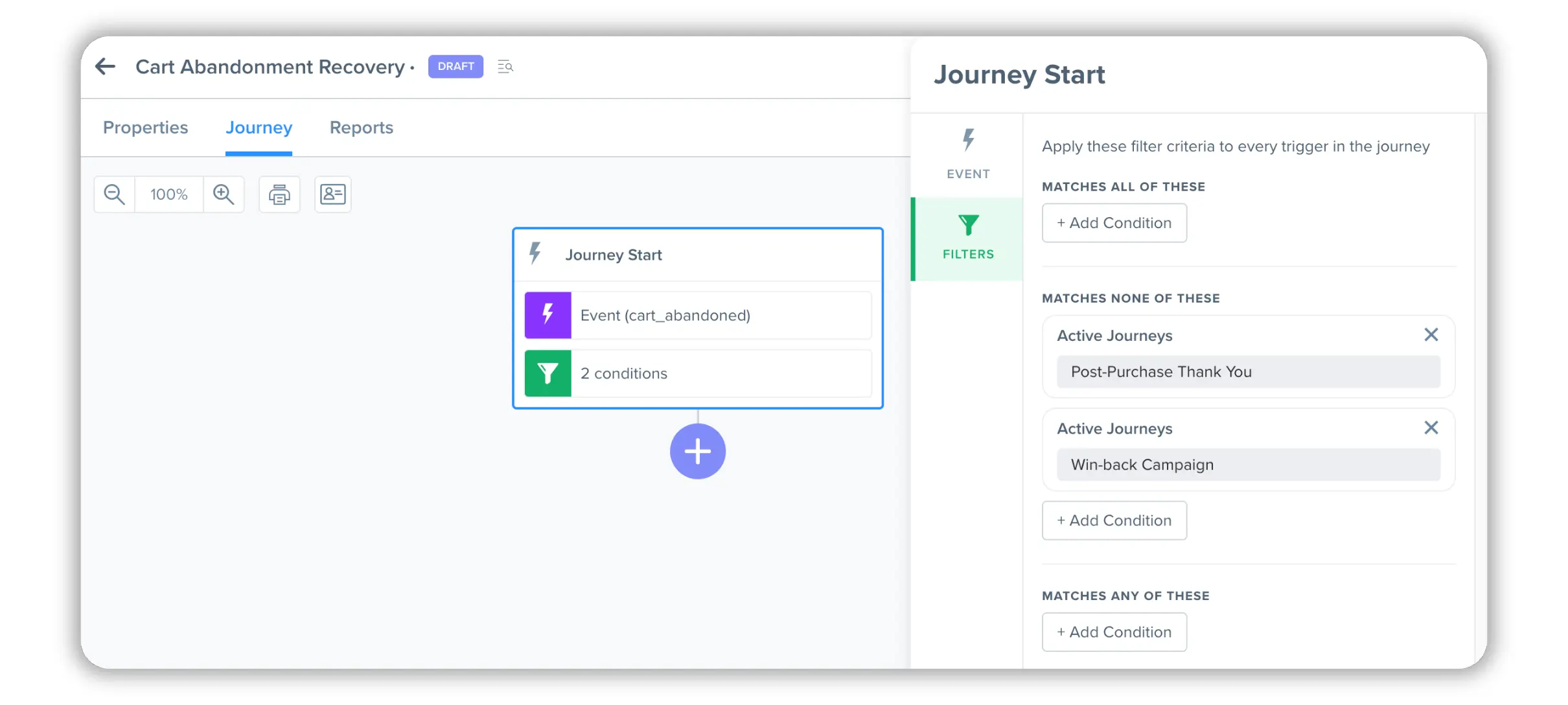
Journey Builder now includes an ‘Active Journeys’ trigger filter that prevents users from entering a journey while they are active in other specified journeys. This helps reduce overlap and ensures users do not receive conflicting or redundant messaging across concurrent campaigns.

Marketers can configure the filter to match users in any, all, or none of the selected journeys. Campaigns can be selected by name or tag, and both event-triggered and segment-triggered journeys are supported.

ENHANCEMENT

Messaging Filters by Template or Link

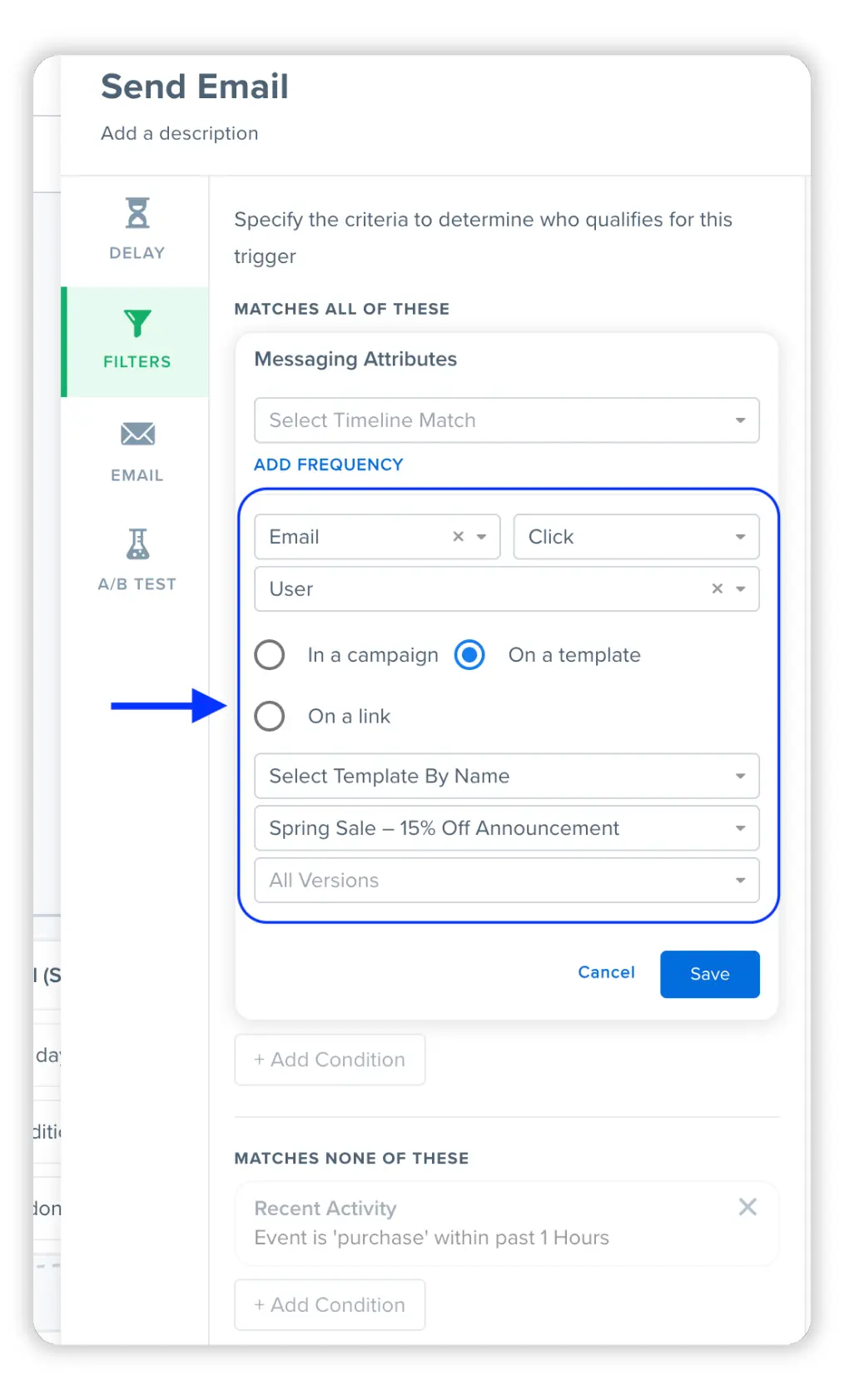
Marketers can now build messaging filters directly around templates or links without requiring a campaign-level selection. This simplifies journey configuration and enables faster targeting based on content-level engagement.

New filter paths include:

  • On a template: Filter by template name or tag, with optional version and link selection
  • On a link: Filter by link match conditions (equals, contains, starts with, ends with), applicable when the action is Click. If no channel is specified, results include clicks across all channels

ENHANCEMENT

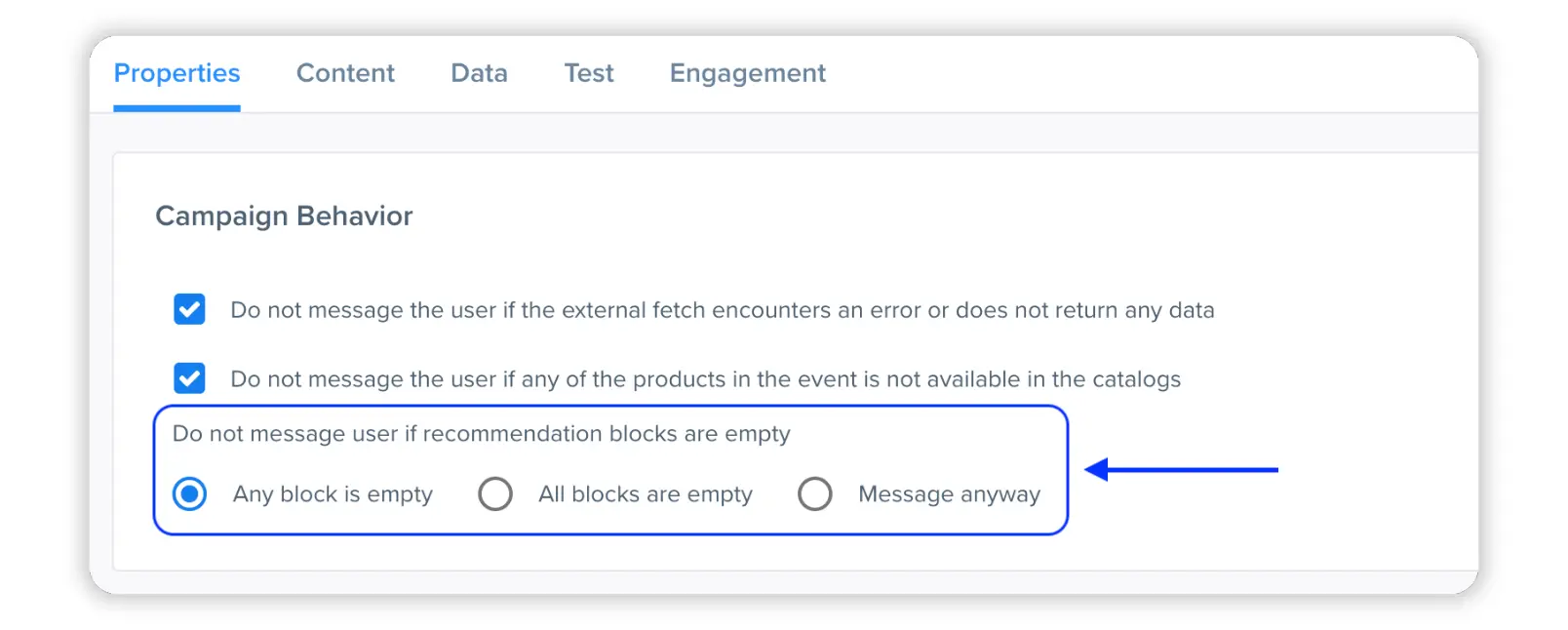
More Flexible Empty Recommendation Block Handling

Templates now support granular control over behavior when recommendation blocks are empty. Marketers can choose to:

  • Skip send if any block is empty
  • Skip send only if all blocks are empty
  • Send message regardless of empty blocks

This provides more control for templates with multiple recommendation blocks where partial content may still be valuable.

ENHANCEMENT

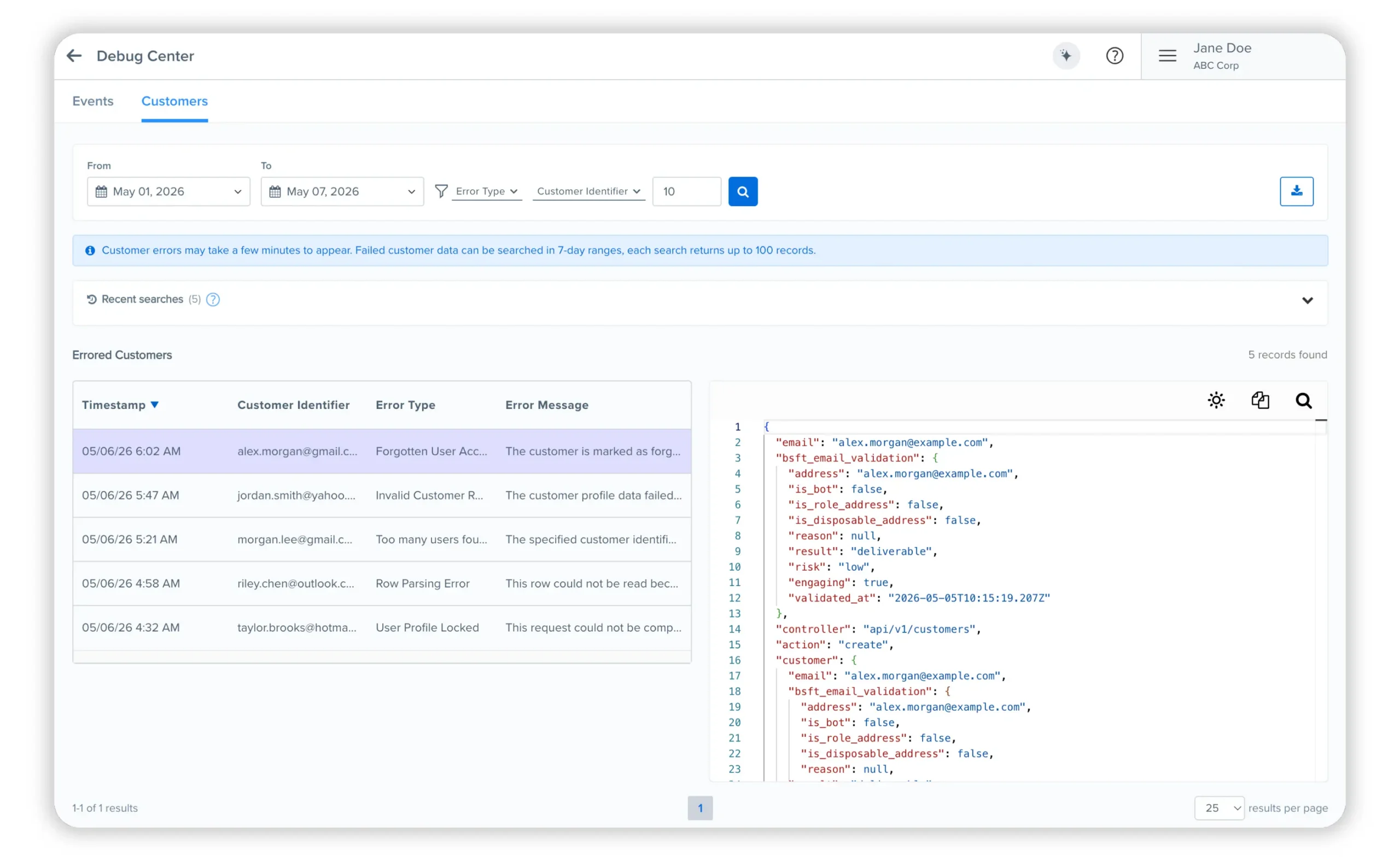
Customers Debug Center

The Customers Debug Center is now available, complementing the Events Debug Center. It provides a dedicated interface to investigate failed customer data ingestion with filters by date range, error type, and customer identifier.

Users can inspect full JSON payloads for each failure, enabling faster diagnosis and resolution of data issues without relying on external debugging tools.

ENHANCEMENT

Triggering Event Identifier in Campaign Activity Payload

For event-triggered campaigns, the campaign activity payload on customer profiles now includes the unique event identifier (event_uuid) of the triggering event.

This enables precise traceability from message delivery back to the exact event that initiated the campaign send.

ENHANCEMENT

Delivery and Failure Tracking for Lob Direct Mail

The Lob integration now supports delivery and failure tracking through manually configured webhooks. Once enabled, postcard and letter events from Lob are captured as delivered or bounce activities within Blueshift.

This brings direct mail visibility in line with other digital channels.

ENHANCEMENT

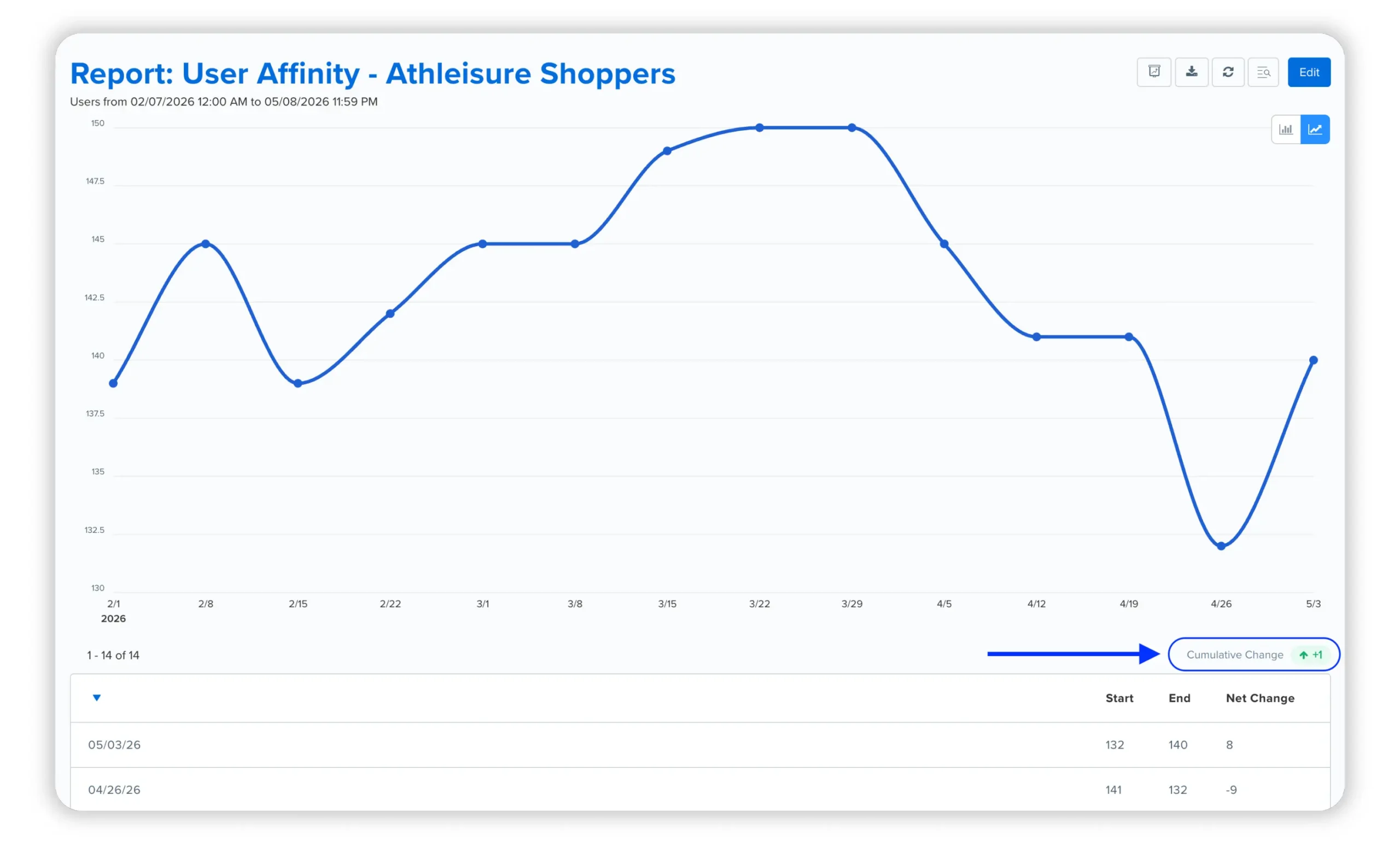
Cumulative Change in Audience Trend Reports

Audience trend reports now include cumulative change over a selected time period, in addition to existing per-unit breakdowns. This allows marketers to understand overall audience movement without manual aggregation.

ENHANCEMENT

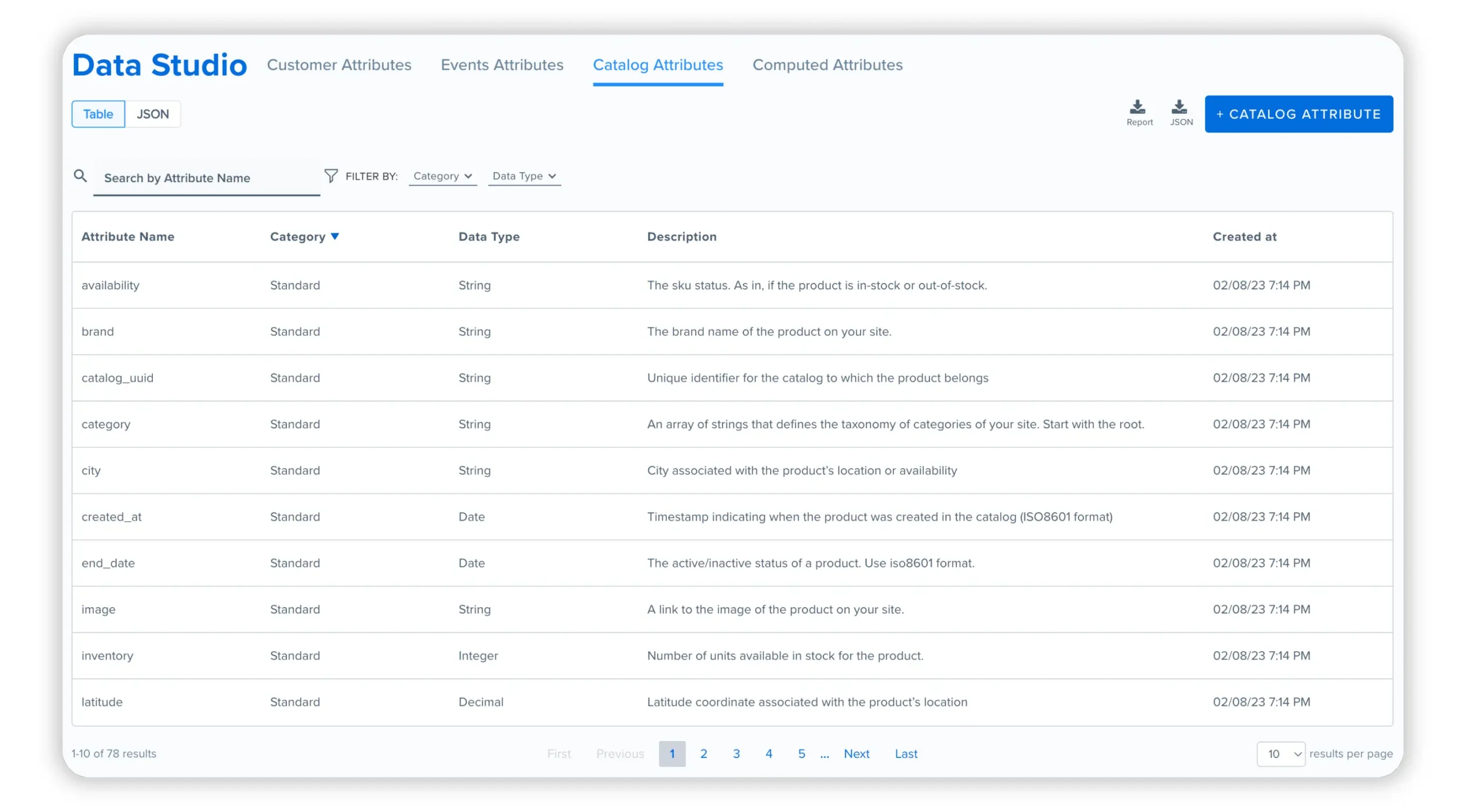
Catalog Attributes in Data Studio

Data Studio now includes a Catalog Attributes view, extending visibility beyond customer and event schemas. Marketers can now explore catalog attribute metadata and create custom catalog attributes directly from Data Studio by defining name, data type, and description.

This provides a unified interface for managing catalog structure and extensions.

ENHANCEMENT

Dynamic Adapter Selection for SMS

Journey Builder now supports dynamic SMS adapter selection using Liquid expressions. Instead of manually selecting an app, marketers can define logic that resolves the SMS adapter at send time based on customer attributes, event data, or journey context.

This enables a single journey to support multiple brands or sending profiles, with routing determined dynamically at execution.

This capability will be available later in June 2026.

ENHANCEMENT

Adobe Commerce Multi-Store Support

The Blueshift integration with Adobe Commerce (formerly Magento) now supports multi-store and multi-site configurations. Data from multiple storefronts can be synced under a single Adobe Commerce instance.

ENHANCEMENT

Email Validations Credit Tracking

The Email Address Validations page now displays total and remaining validation credits at the account level, along with contract expiry details. Requests exceeding available credits are blocked with clear messaging.

This improves visibility and control over validation usage.

ENHANCEMENT

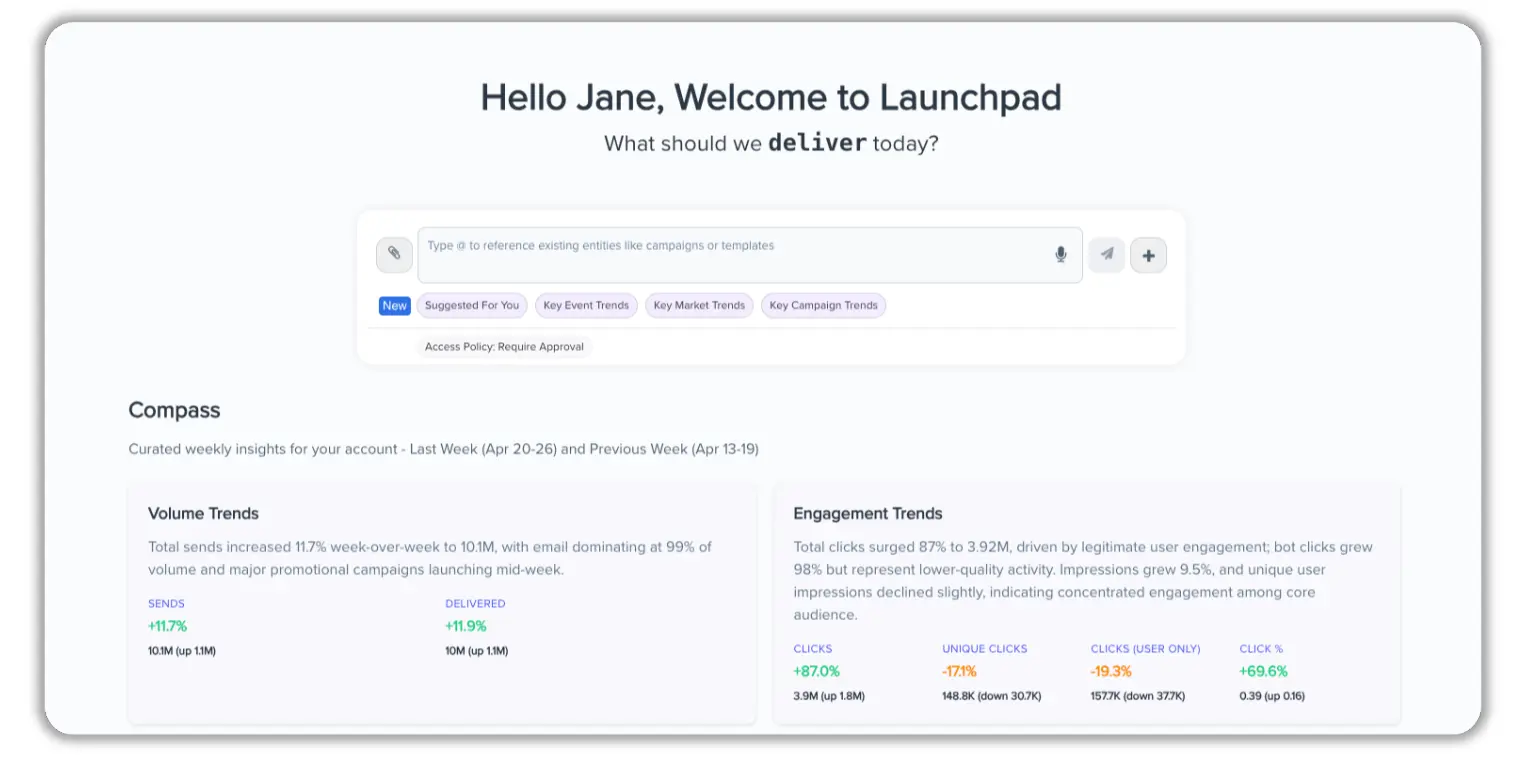
What’s New In Launchpad

Launchpad continues to evolve as an AI-powered workspace for marketing execution and analysis. The latest updates expand capabilities across segmentation, analytics, content generation, and agent behavior.

Marketers can now:

  • Build segments using nested attributes and predictive scores for more precise audience definition
  • Analyze event and subscriber growth trends across channels and break down goal events by attribute
  • Generate pattern-aware email templates aligned with existing design and personalization conventions
  • Update account instructions mid-conversation with immediate effect

Additional improvements include:

  • Work Unit consumption tracking per session with aggregated visibility in Plan & Usage
  • A personalized “Suggested for you” home screen prompt based on recent activity

Launchpad remains in beta. Contact your CSM to learn how it supports analysis, building, and scaling of marketing workflows.