03.17.26
March Update
This release introduces new capabilities across AI-powered marketing workflows, campaign optimization, data visibility, and reporting. With the open beta of Launchpad, marketers can now create and execute marketing assets through natural language in a unified workspace. Additional updates expand Campaign Optimizer support for SMS, improve debugging and schema visibility for event data, and add new controls and reporting enhancements for campaigns and deliverability. Together, these updates help teams move faster from insight to execution while gaining deeper visibility into campaign performance and data quality.
Let’s take a look at what’s new in March.
UPCOMING FEATURE
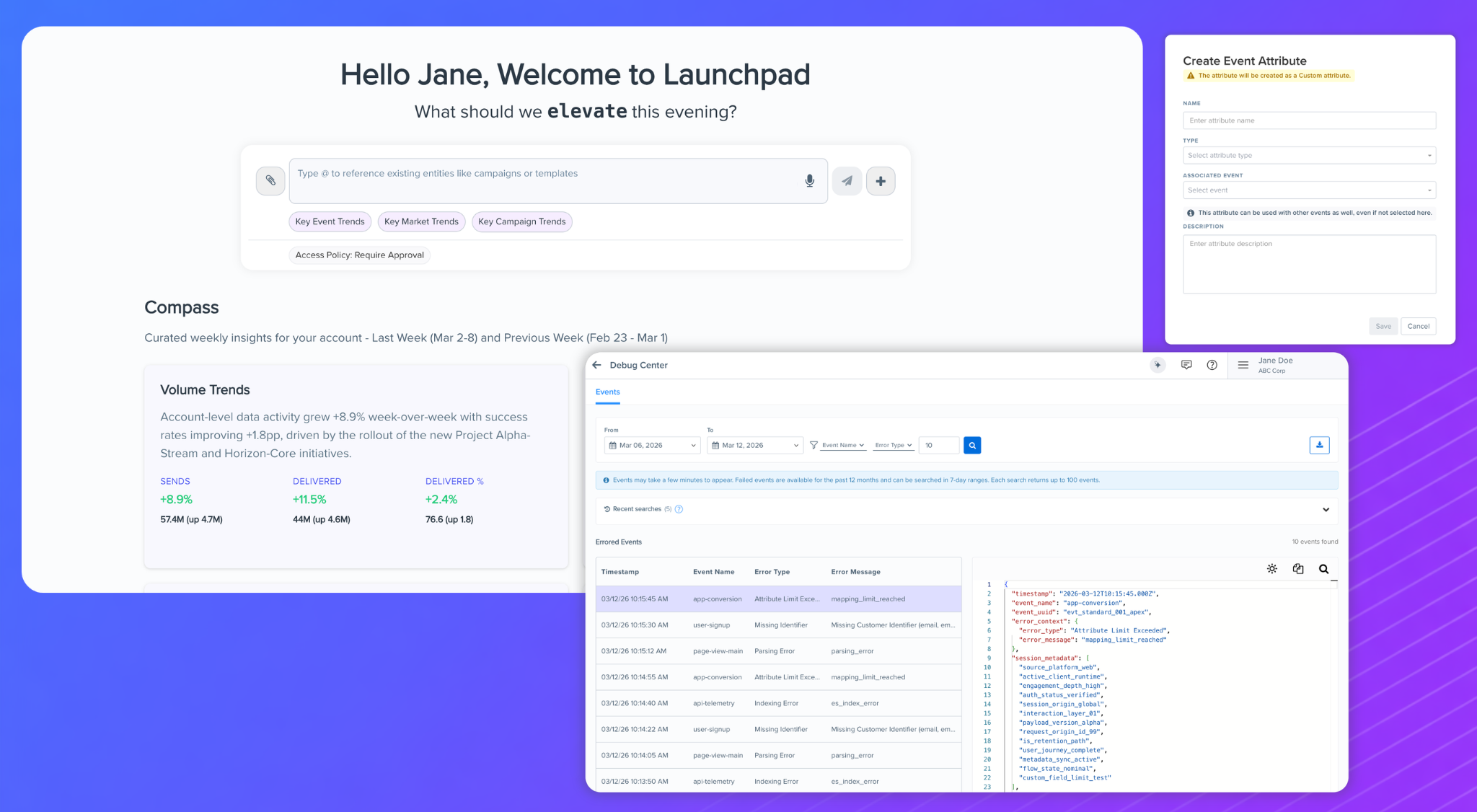
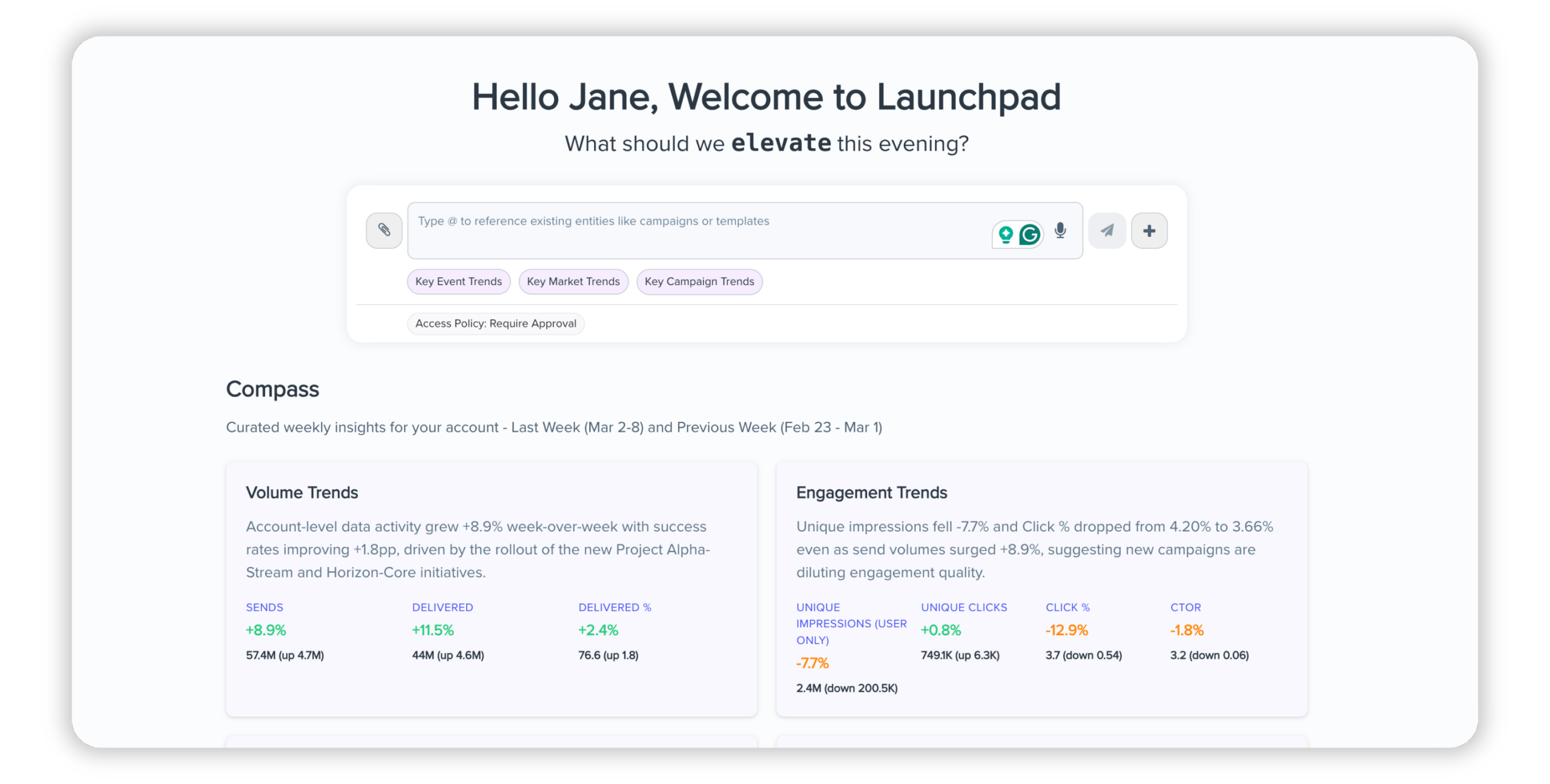
Launchpad (Open Beta): Leverage AI Across Blueshift Platform
Launchpad is an AI powered workspace that lets marketers create segments, templates, campaigns, reports, dashboards, and other marketing assets using natural language. Instead of navigating across multiple features in Blueshift, teams can move directly from intent to execution within a single workspace.
Launchpad will be available in open beta by the end of March 2026.
UPCOMING FEATURE
Campaign Optimizer Agent Support for SMS
The Campaign Optimizer Agent now supports SMS triggers, extending variant testing and automated winner selection workflows to SMS campaigns.
Marketers can:
- Generate and test multiple SMS content variants
- Review performance across competing messages
- Approve the next test directly within the optimizer workflow
Note: This capability applies only to SMS triggers. SMS messages sent through webhook or cloud app routes are not supported. Availability is expected by the end of March 2026.
NEW FEATURE
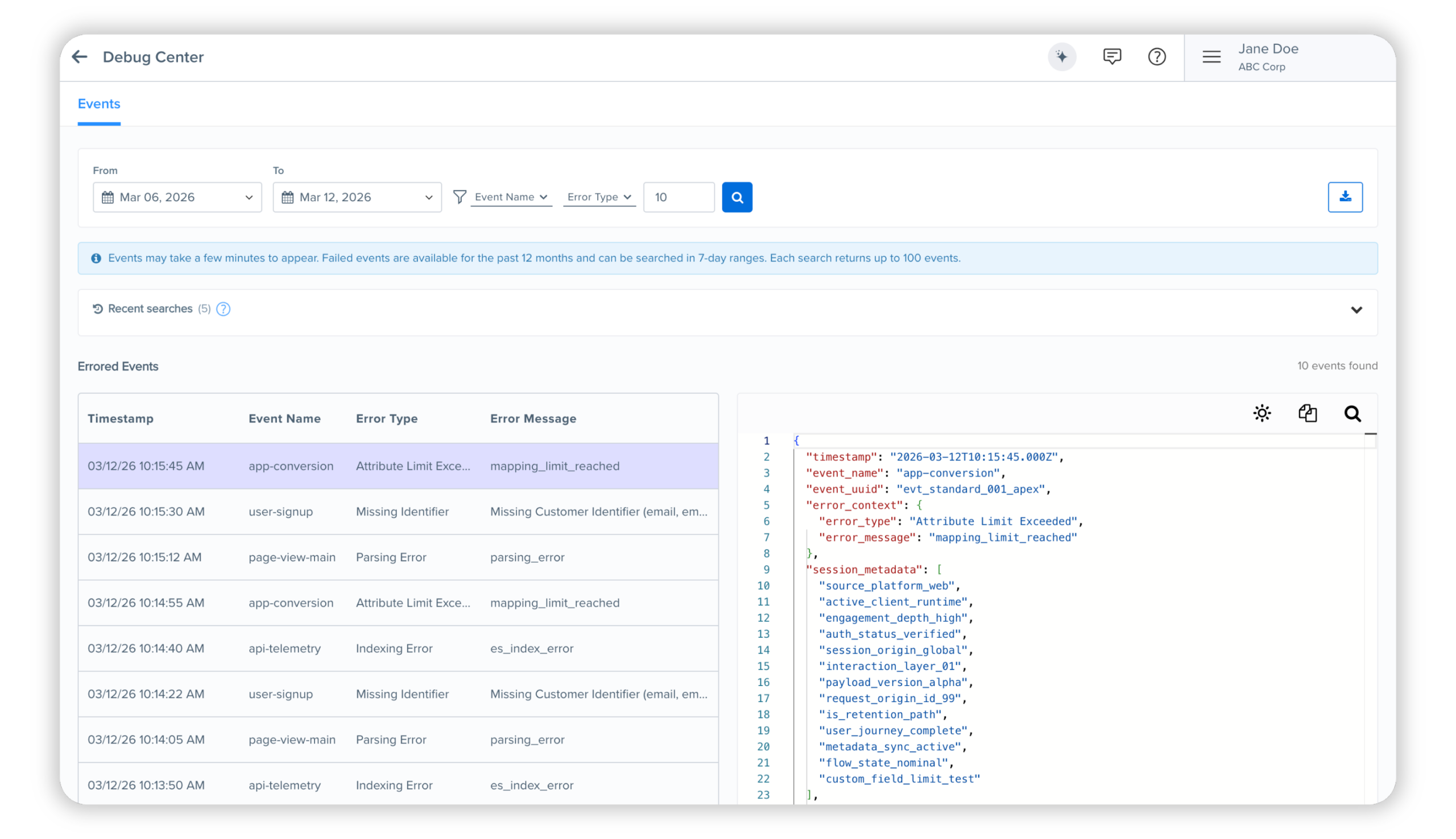
Events Debug Center
The Events Debug Center provides a dedicated space to investigate failed events. It surfaces ingestion errors, including category and error details, helping users identify and resolve issues faster.
NEW FEATURE
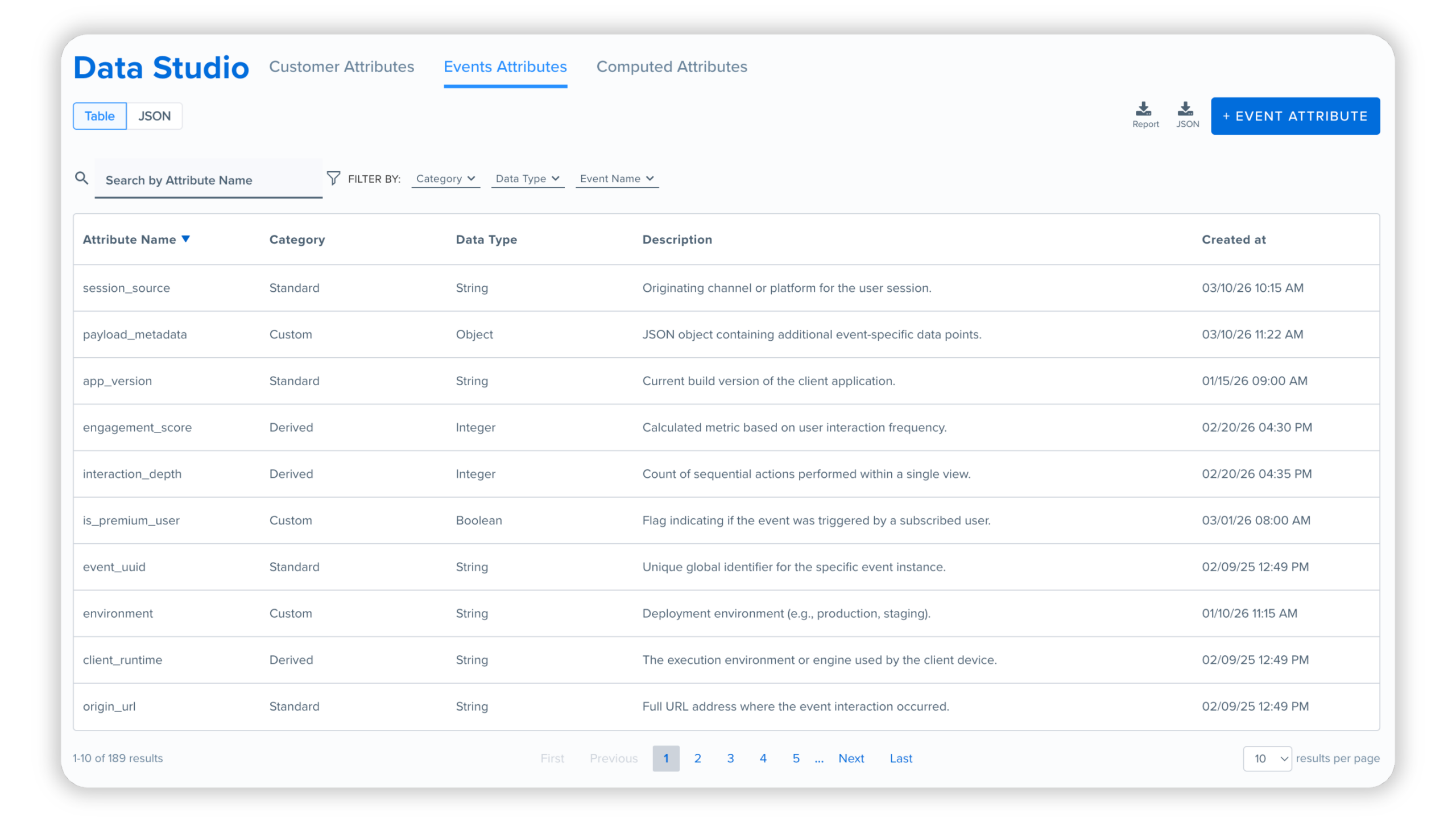
Events Attributes in Data Studio
Data Studio now includes an Events Attributes view. Previously limited to customer schema exploration, users can now view event attributes directly within Data Studio.
The Events Attributes view includes:
- Event attribute names
- Data types
- Categories
- Attribute descriptions
This makes it easier to understand and work with event data across the platform.
NEW FEATURE
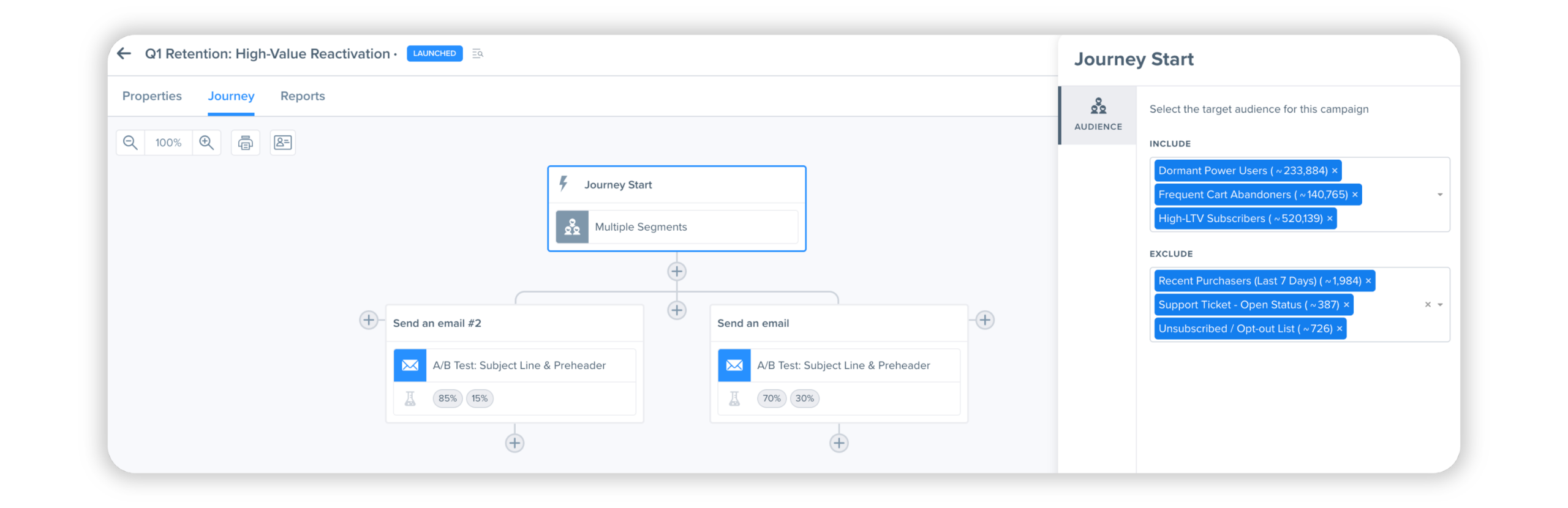
Multiple Triggering Segments for Campaigns
One time, recurring, and segment triggered campaigns now support multiple triggering segments.
Marketers can define:
- Send to segment groups
- Don’t send to segment groups
This makes it easier to include or exclude audiences without creating a separate combined segment.
ENHANCEMENT
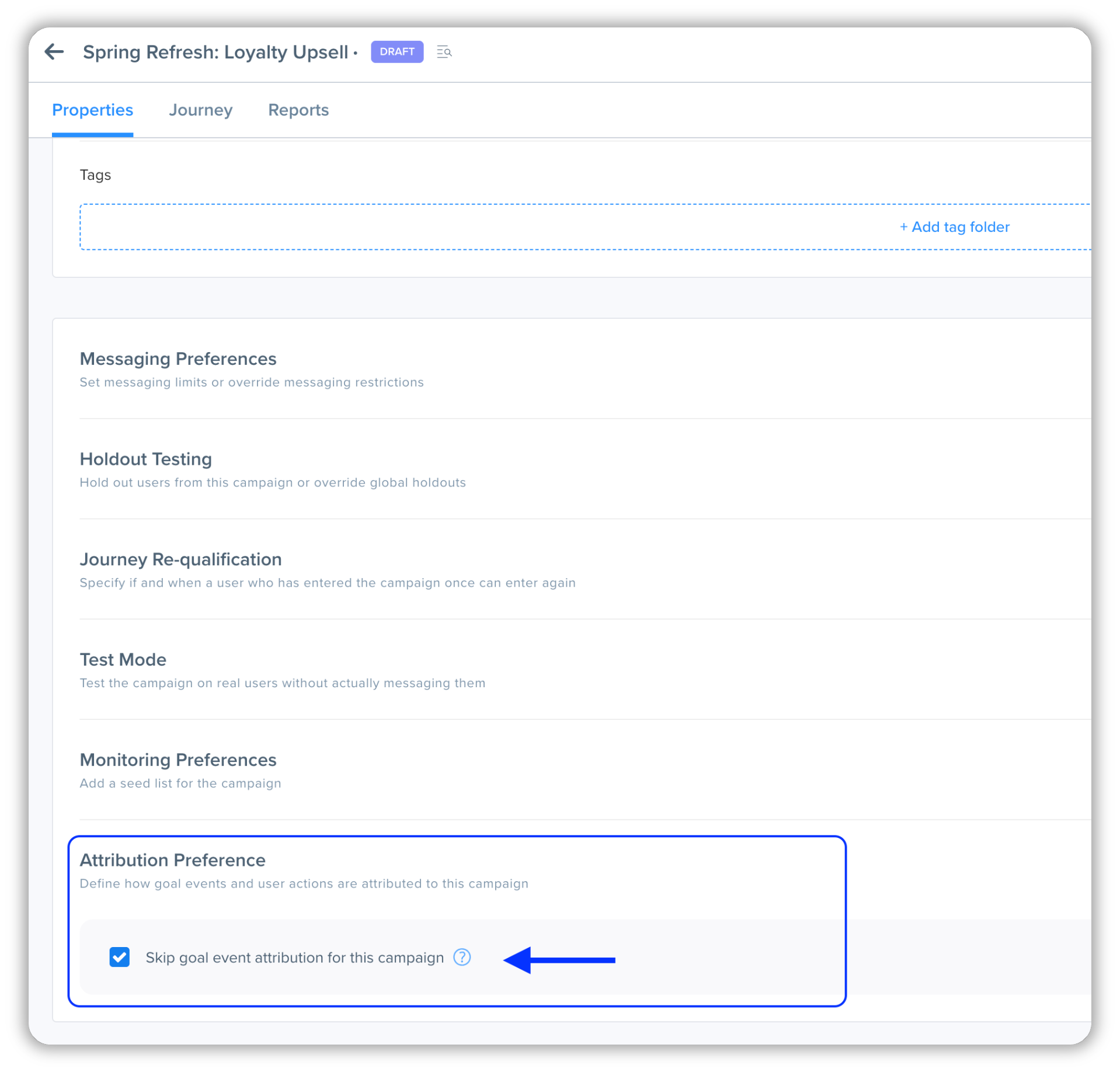
Skip Goal Event Attribution for Campaigns
Campaigns now include an option to skip goal event attribution. This is particularly useful for transactional campaigns such as order confirmations or password resets, where attributing goal events could distort campaign performance reporting.
ENHANCEMENT
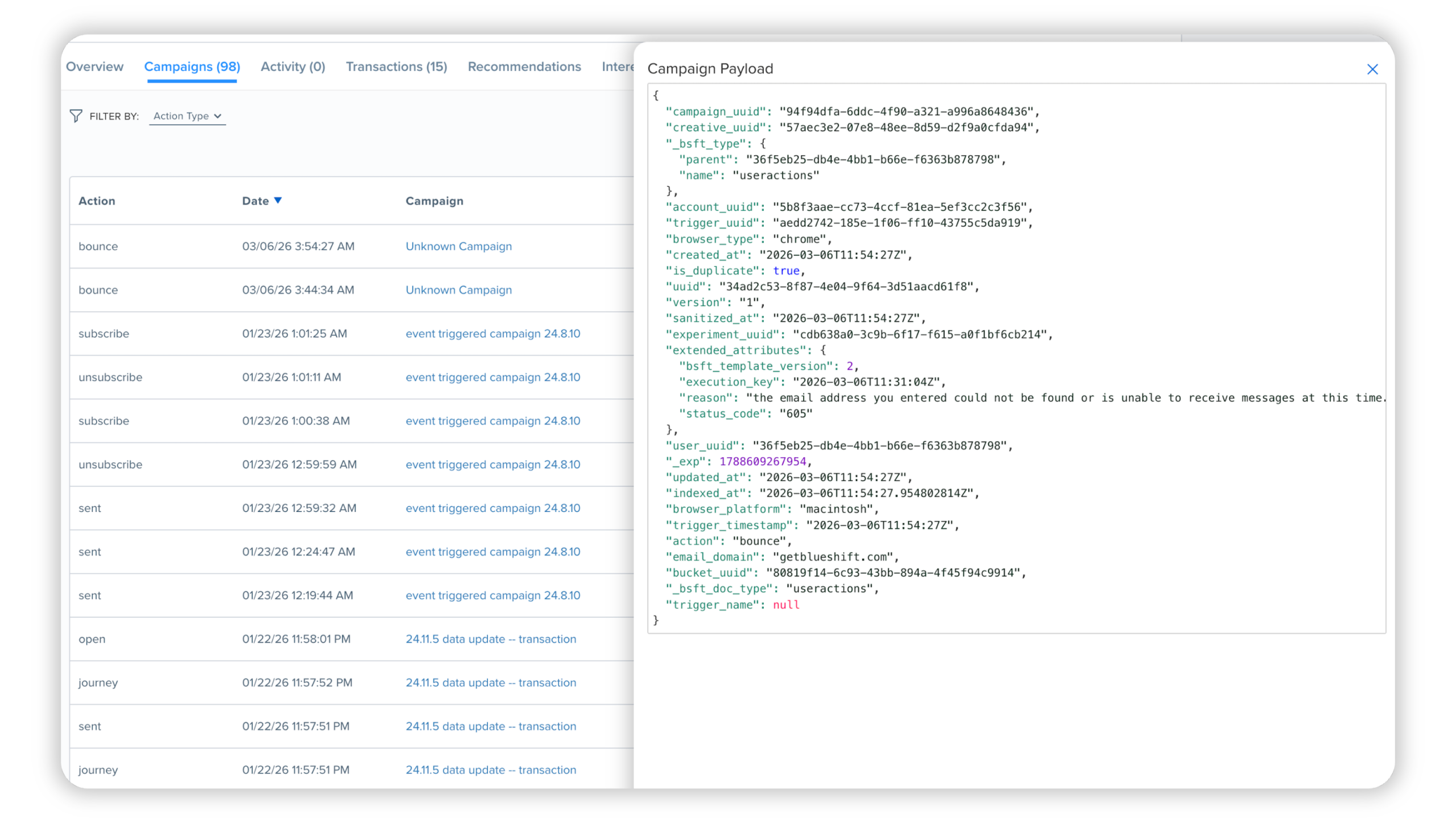
Campaign Activity Details on Customer Profiles
The Campaigns tab on customer profiles now provides deeper visibility into campaign activity events.
Marketers can:
- View the full event payload for campaign activity events
- Filter activity events by attribute values
This makes it easier to investigate campaign interactions and troubleshoot issues directly from the customer profile.
ENHANCEMENT
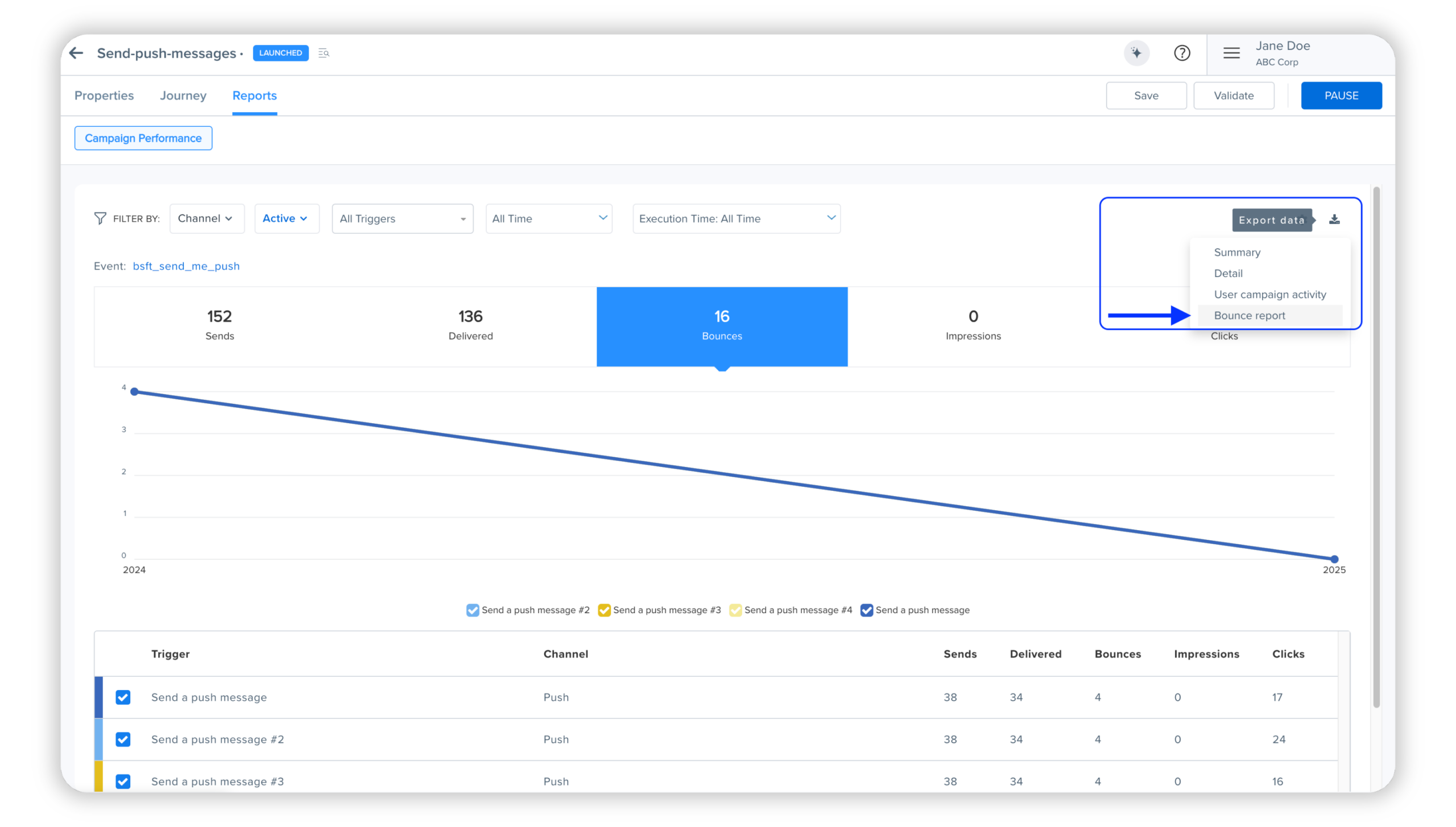
Bounce Reporting Enhancements
Customer profiles now include additional bounce diagnostics.
Updates include:
- Bounce reasons and SMTP status codes displayed on the Overview and Campaigns tabs
- The ability to download bounce reports directly from campaigns
These improvements make it easier to investigate deliverability issues and analyze bounce patterns.
ENHANCEMENT
Campaign Type in Campaign Summary Reports
Campaign summary reports now include campaign type as a top level column.
This allows users to easily distinguish between different campaign executions, such as:
- One time campaigns
- Recurring campaigns
- Other campaign types
The addition simplifies reporting and improves analysis when exporting campaign data.