07.29.26
July Update
This release brings real-time engagement, sharper reporting, and smarter AI to the platform. iOS Live Activities put campaigns on the Lock Screen, campaign performance reporting now breaks down by user attributes, and a new API delivers customer-level activity on demand. Launchpad goes further too, explaining exactly why a customer is or isn’t seeing specific recommendations.
Let’s take a look at what’s new in July.
NEW FEATURE
Live Activities Support for iOS
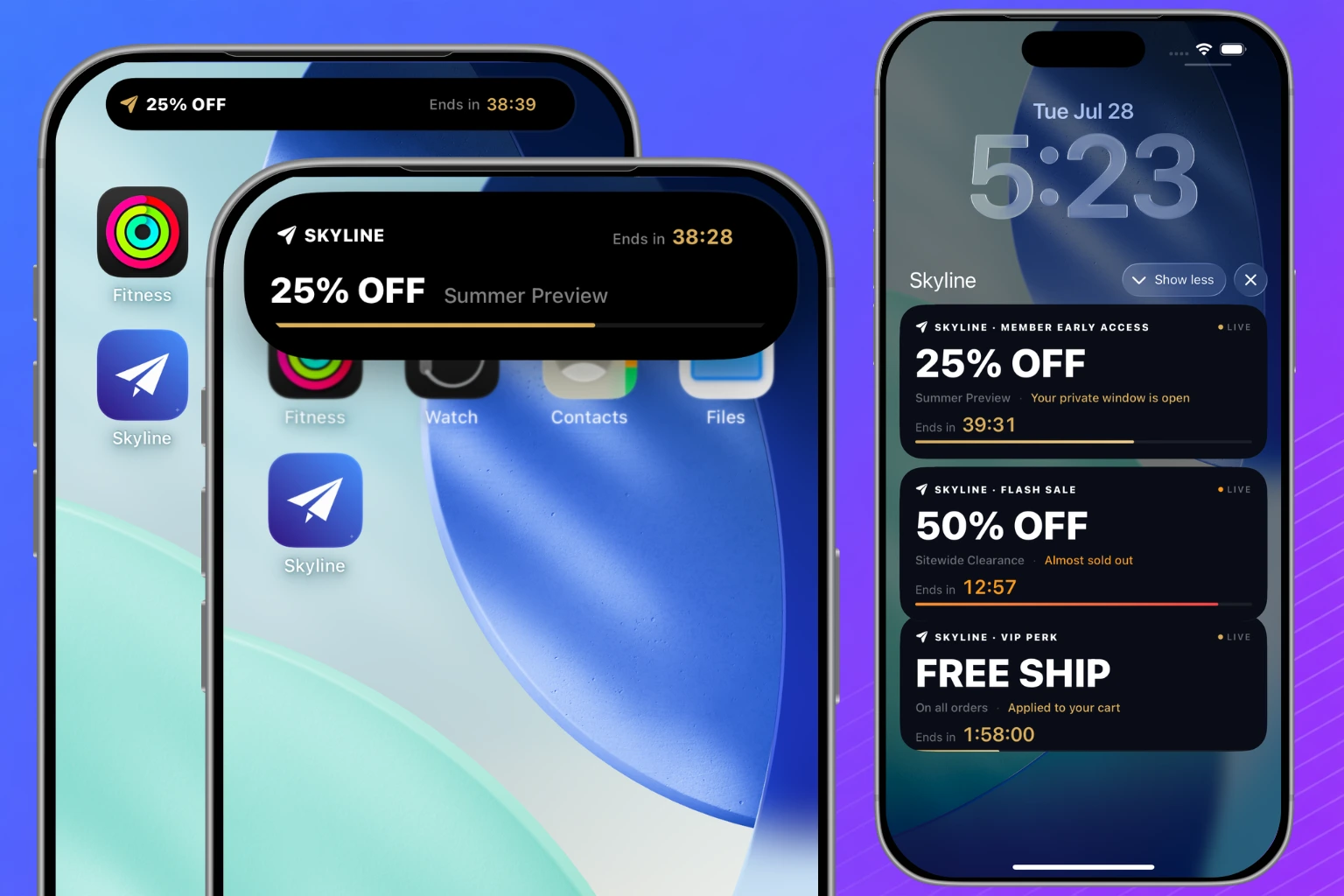
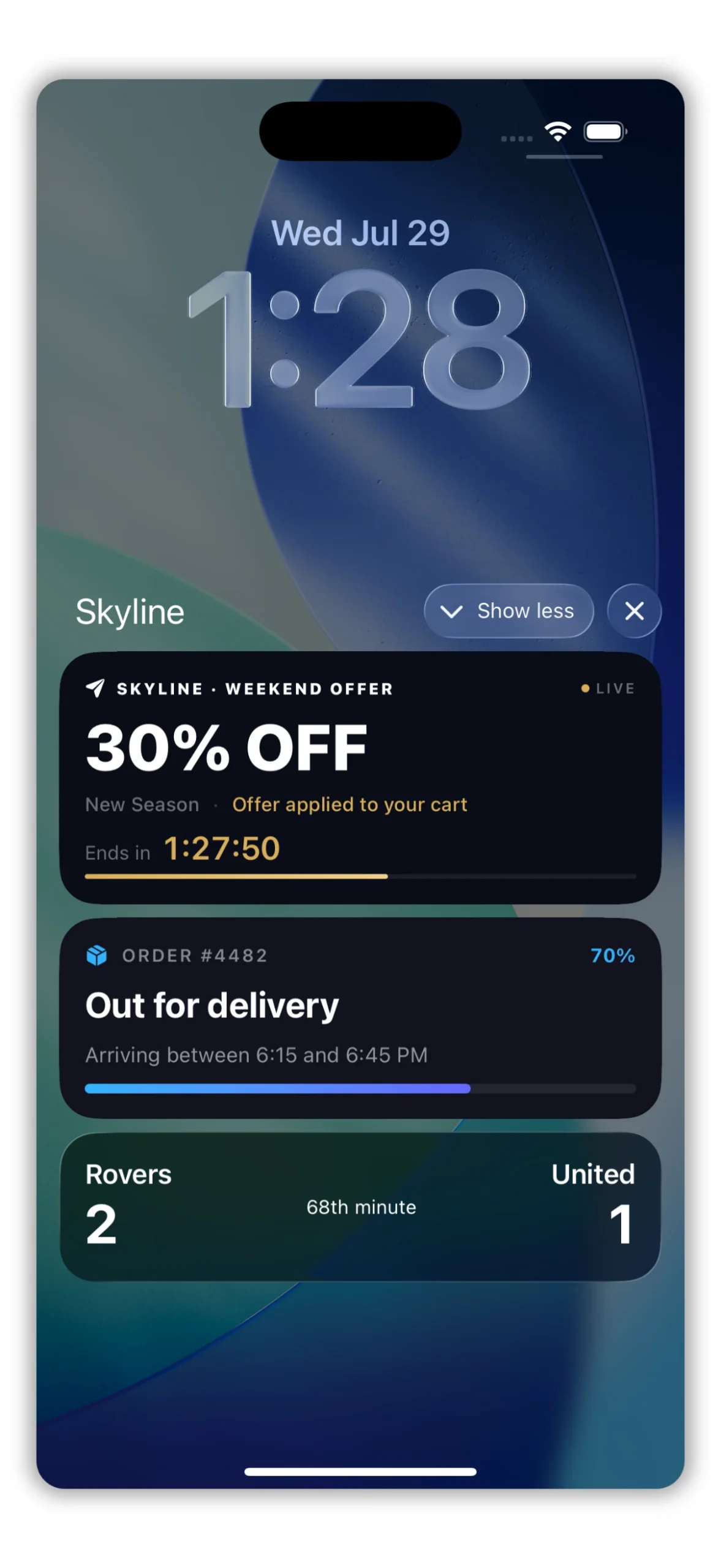
Blueshift now supports iOS Live Activities, delivering real-time updates to a user’s Lock Screen and Dynamic Island for use cases such as delivery tracking, order status, or time-bound promotions and offers.
Marketers can start, update, and end Live Activities via API, individually or in bulk, and target them by email, customer ID, or phone number. Blueshift handles the required APNs headers and server-side push to Apple Push Notification service (APNs).
Live Activities must be built into the customer’s iOS app, and require token-based (.p8) authentication on the Push adapter.
Note: This capability is available for iOS. Android is not yet supported.
ENHANCEMENT
APNs Token-Based Authentication for Apple Push
Push adapters now support token-based authentication (.p8) with Apple Push Notification service (APNs), in addition to the existing certificate-based PEM method. Token-based authentication is recommended and set as the default for new adapters. It does not require the periodic renewal that PEM certificates need.
Existing adapters remain on certificate-based authentication by default and can be switched to token-based authentication at any time from the Push adapter configuration in the App Hub.
NEW FEATURE
Campaign Performance Reporting by User Attributes
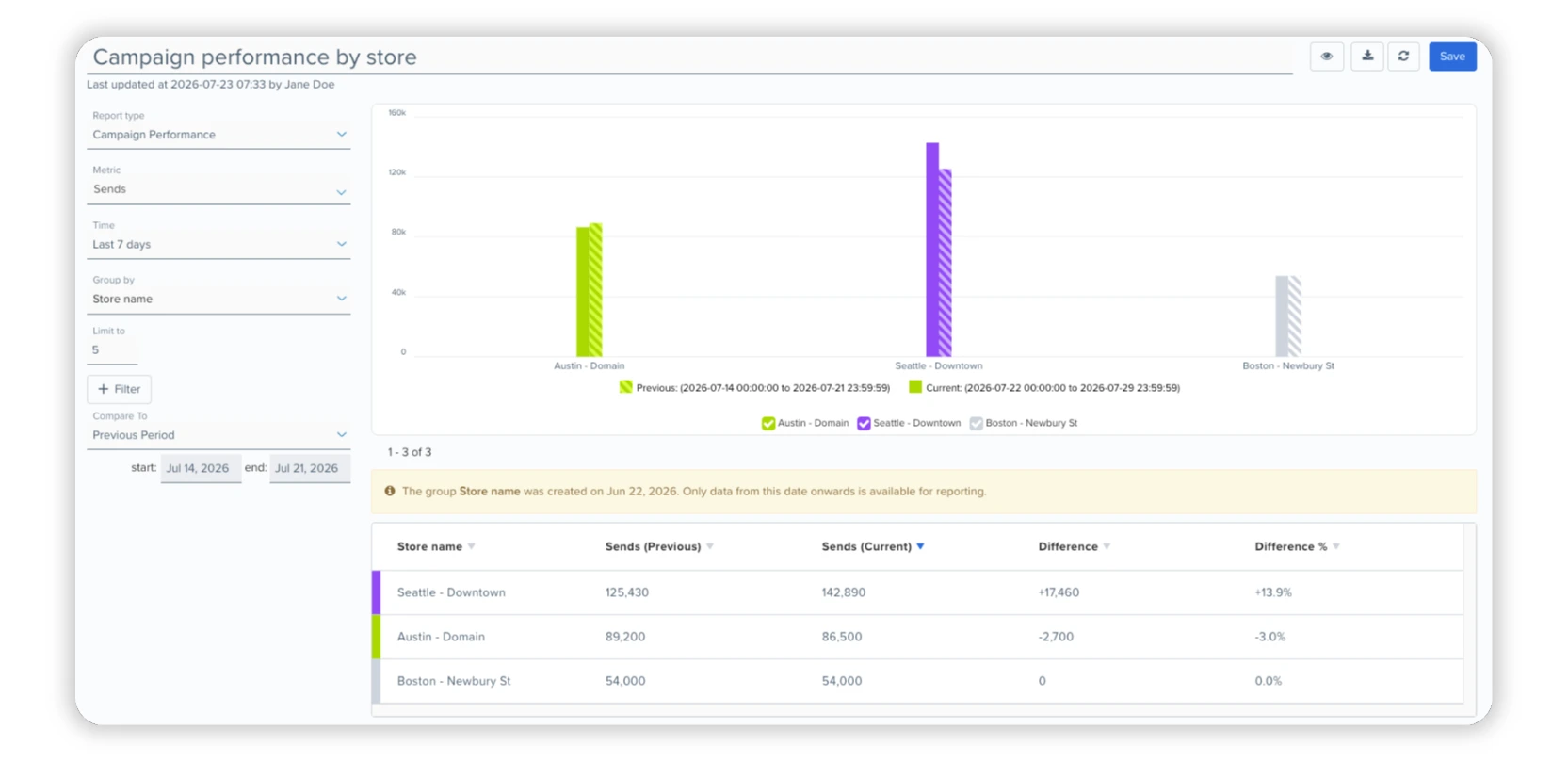
Campaign performance reports can now be broken down by user attributes — such as loyalty tier, region, or subscription plan — in addition to existing goal event attributes.
Note: Only standard and custom attributes with low cardinality (under 500 unique values) are supported. Numeric attributes are excluded.
NEW FEATURE
MCP: Claude Code and Codex Support
Blueshift’s MCP server now supports Claude Code and Codex, in addition to Claude Desktop, so you can connect to it directly from any of these tools.
- Claude Code. Register the MCP server with a single command: claude mcp add –transport http blueshift-ai https://app.getblueshift.com/mcp
- Codex CLI. Register the MCP server with a single command, then authenticate in the browser: codex mcp add blueshift –url https://app.getblueshift.com/mcp
- Codex app. Under Settings > MCP servers, select Add server, choose the Streamable HTTP option, and enter the URL https://app.getblueshift.com/mcp.
After connecting, authenticate in the browser and select your account. Complete setup instructions are available in the MCP documentation.
ENHANCEMENT
AI-Generated Asset Indicator
Assets created or updated by AI now display an ‘AI Generated’ badge and can be filtered using the new Generator filter.

ENHANCEMENT
Subscription Group Updates via Data Update Triggers
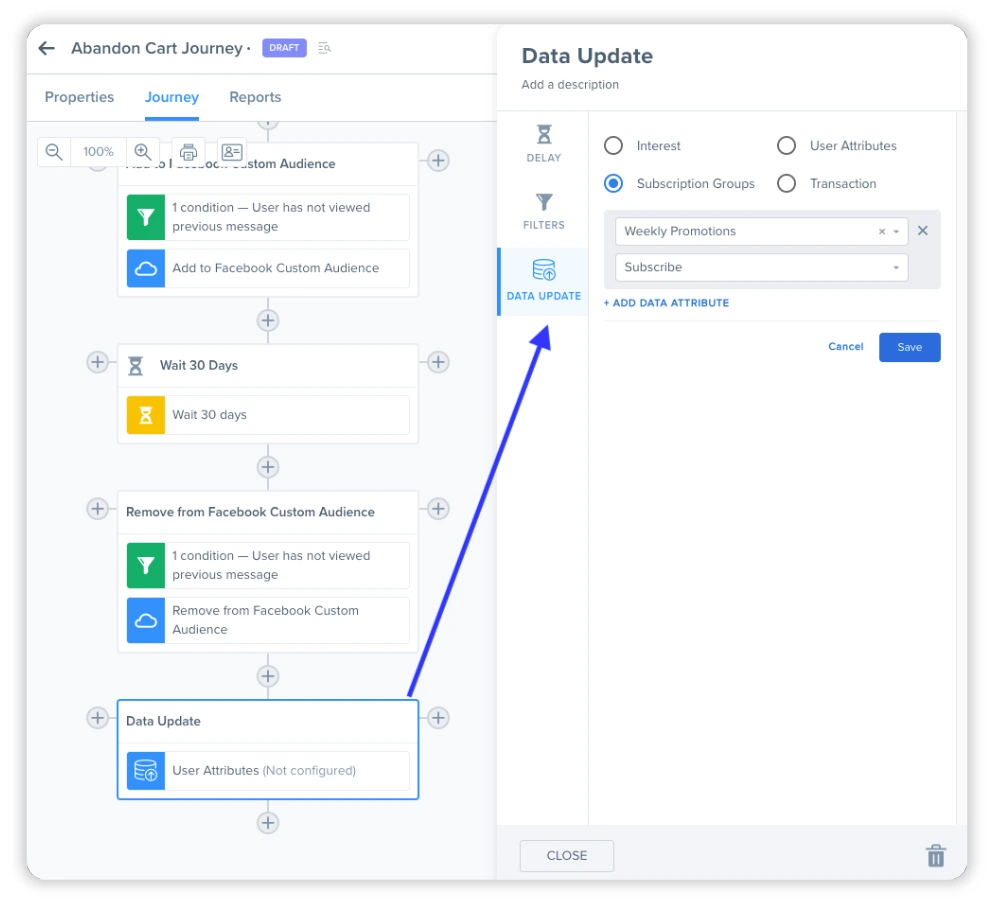
Data Update triggers can now update a customer’s subscription status (subscribed or unsubscribed) for one or more Subscription Groups, as part of a campaign journey.
Note: Available for accounts with Subscription Groups enabled. To enable access to subscription groups on your account, contact your CSM or email [email protected]
ENHANCEMENT
API-Created Shared Assets Now Use the Specified Author
Shared assets created via API are now attributed to the author specified in the author parameter. Previously, assets were always attributed to the account’s primary user, regardless of this field.
ENHANCEMENT
New API for Customer-Level Campaign Activity
A new public API endpoint returns campaign activity for an individual customer, identified by customer ID, email, phone number, or another account-specific external ID. The response includes activity and performance details such as sends, opens, clicks, purchases, and revenue for the selected time period, with support for up to 366 days of activity per user.
This lets teams retrieve activity for specific customers on demand, instead of processing full campaign activity exports.
ENHANCEMENT
Nested Attribute Search in Customer Profile Search
Customer profile search now supports nested attributes. Child attributes are available directly in the search dropdown using dot notation, such as devices.app_name.

ENHANCEMENT
Async Mode for Bulk List Updates
The bulk add and bulk remove endpoints for custom user lists now support an async mode, accepting up to 500 identifiers per request, up from the synchronous limit of 25.
Async requests return immediately and are processed in the background.
Note: Synchronous requests are unchanged and remain capped at 25 identifiers per request.
ENHANCEMENT
LG Ad Solutions, Samsung Ads, and Vizio Ads via LiveRamp
Audience syndication now supports LG Ad Solutions, Samsung Ads, and Vizio Ads as destinations through the LiveRamp integration. These appear as new apps in App Hub for syncing segments to these platforms.
Marketers can now extend paid media campaigns to connected TV audiences on these platforms directly from Blueshift.
ENHANCEMENT
Google BigQuery Adapter: Dataset ID Locked After Setup
The Google BigQuery adapter no longer allows editing the Default Dataset ID after initial setup, matching the existing restriction on BigQuery Project ID. Only the Credentials JSON field can be updated on existing adapters.
This prevents import and export failures caused by incorrect or unverified Dataset IDs.
ENHANCEMENT
What’s New In Launchpad
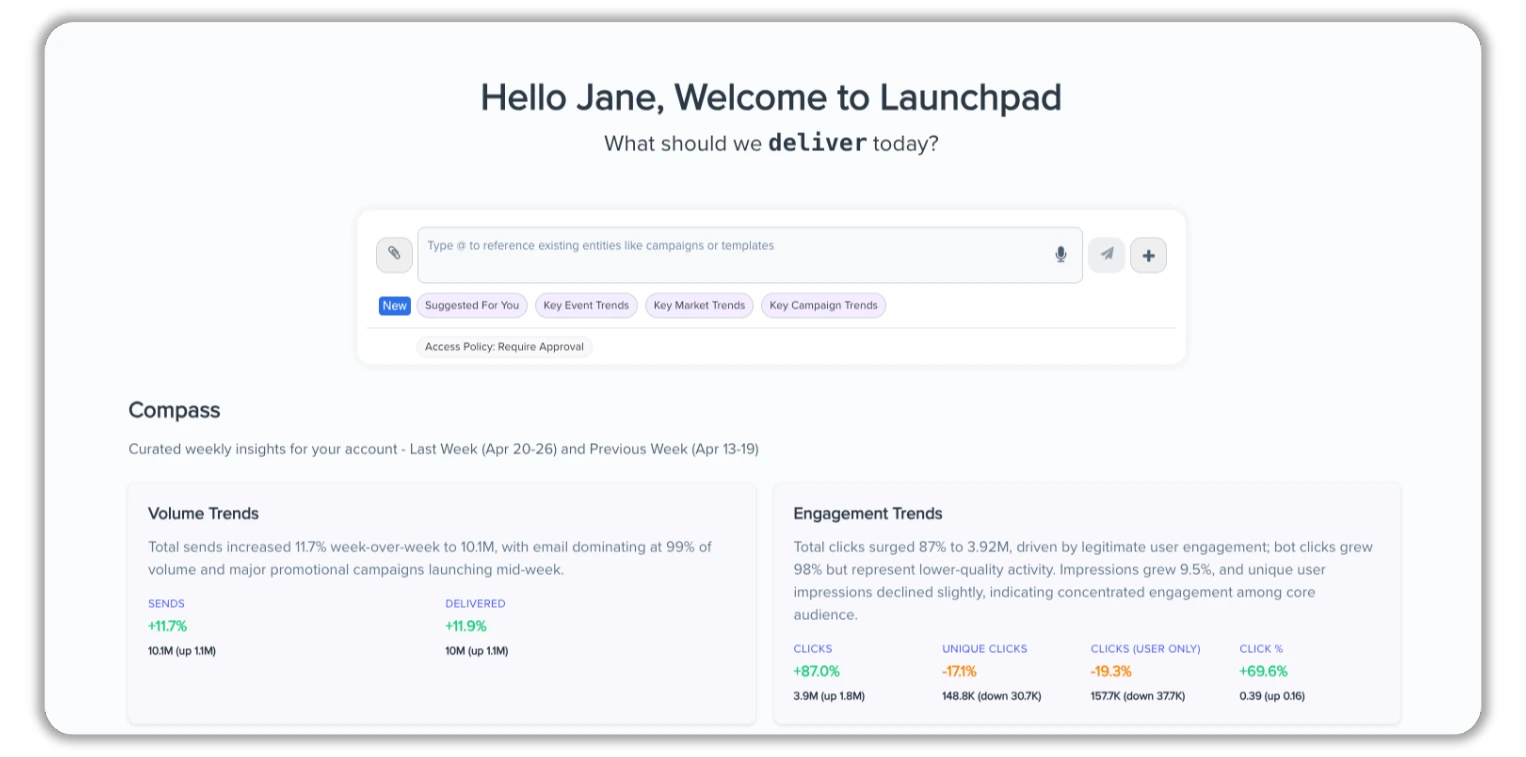
Launchpad continues to evolve as Blueshift’s AI-powered workspace for marketing execution and analysis. Since the last release:
Marketers can now:
- Ask Launchpad to trace and explain a customer’s recommendations for a specific scheme — showing why they’re receiving certain products, or why they’re not, based on the scheme’s underlying logic.
- Tag and archive chats to organize and manage Launchpad sessions.
- Copy, share, and leave feedback directly on any Launchpad response.
- Connect to Launchpad’s MCP server from Claude Code and Codex, in addition to Claude Desktop.
Additional improvements include unread-chat indicators, a consolidated chat index with Work Unit visibility per session, and Work Unit sorting on the Chats page.
Launchpad remains in beta. Contact your CSM to learn more.
COMING SOON
Ignore Global Inclusion Segment in Scheduled Exports
Scheduled segment exports now include an option to ignore the account’s global inclusion segment filter. When enabled, the export includes customers who would otherwise be excluded by that filter.
Note: Available shortly after the July 2026 release.
COMING SOON
External MCP Server Support for App Hub & Launchpad
Support for connecting external MCP servers as tools in Launchpad, configurable from the App Hub. External tools and data can then be used directly within a Launchpad conversation.